

If you are using an Aiwit doorbell, you may encounter some common issues. In this article, we will provide a detailed description of common problems with Aiwit doorbells and provide solutions. Whether it’s a WiFi signal issue, a password error, or hardware failure, we will provide useful information to help you troubleshoot and resolve any issues with your Aiwit doorbell.
It is expected that this article will be updated in August/September.
Why aiwit doorbell not connecting to wifi
There are several reasons why your Aiwit doorbell may not be able to connect to your WiFi. The most common causes are weak WiFi signal, incorrect password, and hardware failure.
Wifi signal problem:
Poor wifi signal can lead to wrong password and no wifi connection.
Since the Aiwit doorbell is usually installed at the door, it may be far away from the router and obstructed, resulting in the Aiwit doorbell not receiving WiFi signals well.
Aiwit doorbell is connected to 5Ghz wifi:
Aiwit doorbell only supports 2.4Ghz wifi, make sure Aiwit doorbell connects to 2.4Ghz wifi.
If your wifi 2.4G and 5G are combined, then there is no need to check this issue, the router will automatically assign 2.4G wifi.
Hardware failure:
Aiwit doorbell wifi module failure,If you encounter this issue, it is recommended to contact your Aiwit doorbell seller for assistance.
Fix Aiwit doorbell can not connect to wifi
If you are experiencing difficulties connecting your Aiwit video doorbell to the WiFi network, don’t worry, we recommend reviewing the following guide and following the provided steps to try and fix it.
1. To ensure proper operation of your Aiwit doorbell, we recommend following these steps to confirm the power status of your Aiwit doorbell:
- Press the doorbell button: If the Aiwit doorbell’s indicator light flashes, this indicates that the doorbell is turned on.
- If there is no indicator light: Please connect the power supply to charge the Aiwit doorbell.
2. In order to connect Aiwit doorbell smoothly, please follow the guide below:
- Reset the Aiwit doorbell
- Connect the Aiwit doorbell near the router
- Make sure the wifi is 2.4Ghz and the wifi password is correct.
- As long as the Aiwit doorbell hardware is working, then you will be able to connect to the wifi.
If you still can’t connect to Aiwit doorbell, it is recommended to recheck the above issues, and reconnect.
If the connection fails more than 3 times, then there is a high probability that the Aiwit doorbell is malfunctioning, please contact your Aiwit doorbell seller.
3. Other ways to fix it?
If you follow the above guide and can’t fix it, you need to check if your wifi has restrictions such as mac whitelisting, router problems. But I don’t recommend it, router problem is less probable and requires an expert.
I suggest you just replace Aiwit doorbell, or buy another brand of doorbell.
How do I connect my Aiwit doorbell?
You can check these Aiwit manuals, or if you don’t have your Aiwit camera model, you can refer to the manuals, which usually operate in the same way.
How To Use Aiwit Camera (2023 Full Manual)
- How to connect Aiwit camera to wifi?
- How to share Aiwit camera?
- How to set up video recording
- How to set up motion detection
- How do I connect Aiwit doorbell to chime?
ENEK Video Doorbell MODEL V8 Aiwit app User Manual
ENEK Video Doorbell MODEL T8 Aiwit app User Manual
ENEK Video Doorbell MODEL T7 Aiwit app User Manual
ENEK Video Doorbell MODEL T5 User Manual
Why is my Aiwit doorbell offline?
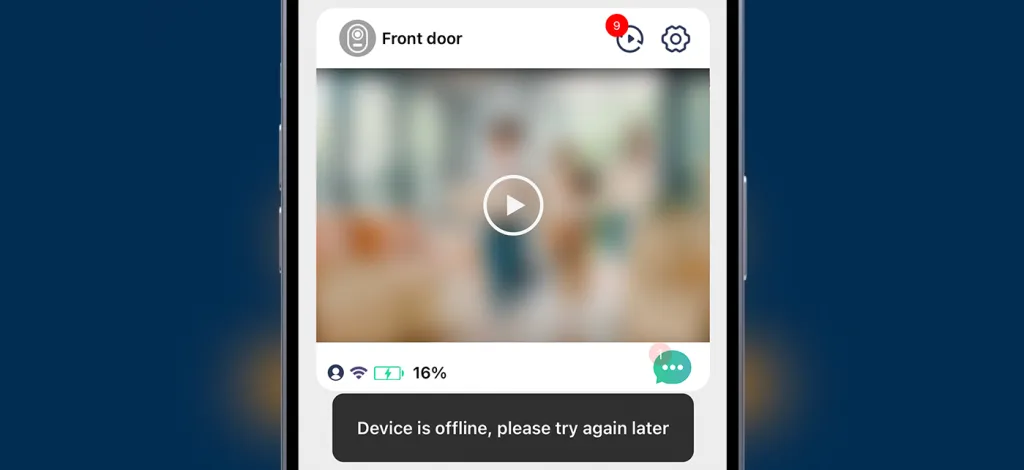
Aiwit doorbell is usually offline for several reasons
- Battery problems, dead batteries or battery failure.
- wifi problem, may be the wifi signal is bad to cause offline, suggest to strengthen your wifi signal, or try to restart the router
- Aiwit doorbell wifi module failure, we suggest contacting your camera seller
Why am I not receiving Aiwit doorbell notifications on my phone?
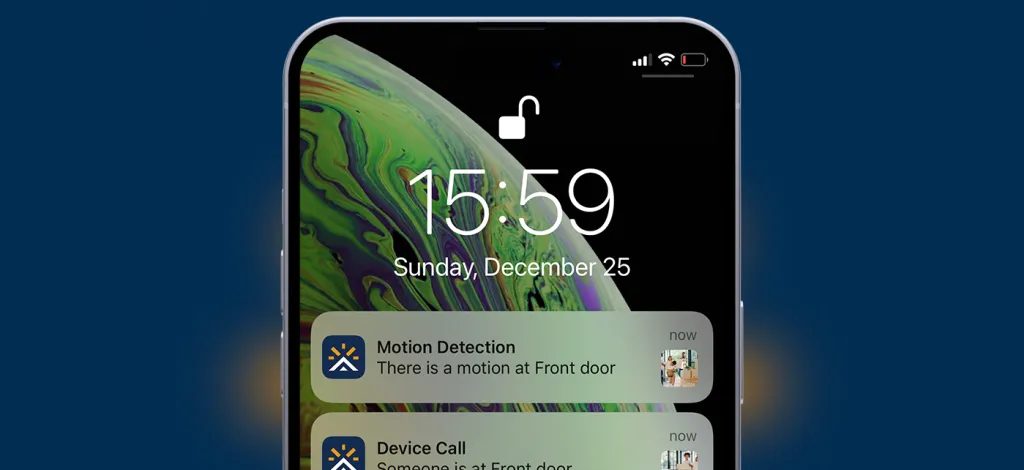
If your phone does not receive notifications from the Aiwit doorbell, this is usually due to a software problem. To resolve this issue, we recommend that you follow these instructions:
- Upgrade the Aiwit application to the latest version.
- Make sure that the Aiwit doorbell is online.
- Turn on notification permissions for the Aiwit app. If you are using an Android phone, set it to priority notifications in the settings.
- Make sure that the Aiwit doorbell and your phone are connected to the Internet properly.
If these steps do not solve the problem, it may be an Aiwit APP issue or a phone bug, please contact your Aiwit doorbell seller.
Sometimes I can receive notifications and sometimes I can’t?
Usually it is a network problem, please make sure Aiwit Doorbell and your phone have a strong internet connection.
Why can’t Aiwit doorbell view alert videos?
The Aiwit doorbell requires the purchase of cloud storage in order to view alarm videos, and the Aiwit doorbell cannot be stored on a memory card. Therefore, you must purchase cloud storage to view the video recording.
Why can’t I view video recordings on Aiwit Doorbell when I could before?
Aiwit Doorbell will give you free cloud storage for a period of time, when the cloud storage expires you will need to purchase it to be able to view the video.
Why doesn’t Aiwit chime receive ringtone notification?
If your Aiwit chime is not receiving bell notifications, it may be due to the following reasons.
- Please check the power status of the Aiwit chime: If the Aiwit chime is turned on, it should be able to produce a bell sound when the ‘tune’ button is pressed.
- Reconnect the chime to the Aiwit doorbell.
If these steps do not work to make the Aiwit chime function properly, it may be due to hardware failure in the Aiwit chime. In this case, it is recommended to contact the Aiwit chime seller for assistance.
How do I know if my Aiwit doorbell is charging?
The charging icon in the upper right corner of the video interface means that it is charging
How do I reset my Aiwit doorbell?
Press and hold the doorbell button until the red light flashes, about 5-6 seconds.
Do I need to buy cloud storage for Aiwit doorbell?
You need to purchase cloud storage to view videos, Aiwit doorbell does not support memory cards for saving videos.
What memory cards does Aiwit doorbell support?
Aiwit doorbell does not support memory cards, you need to purchase cloud storage to Recording.
How do I use Aiwit doorbell on my computer?
Aiwit only supports Android and iPhone phone, there is no computer software, but you can use Aiwit on your computer in other ways.
How can I contact Aiwit Doorbell technical support?
If you are experiencing issues with your Aiwit doorbell, we recommend contacting eken for technical support. Eken is the developer of the Aiwit doorbell and can provide professional assistance. You can also contact the seller from whom you purchased your Aiwit doorbell for help.
Eken contact email: support-us@eken.com
Why does Aiwit suddenly ask for cloud storage fees?
Aiwit will give you 3 months of cloud storage, but when this expires you will need to purchase cloud storage, which is not free.
Note
Aiwit has updated its cloud storage policy and now, you need to purchase to view the videos and there is nothing we can do about it.
We can’t offer you a refund, or for questions about cloud storage, please contact Aiwit: support-us@eken.com
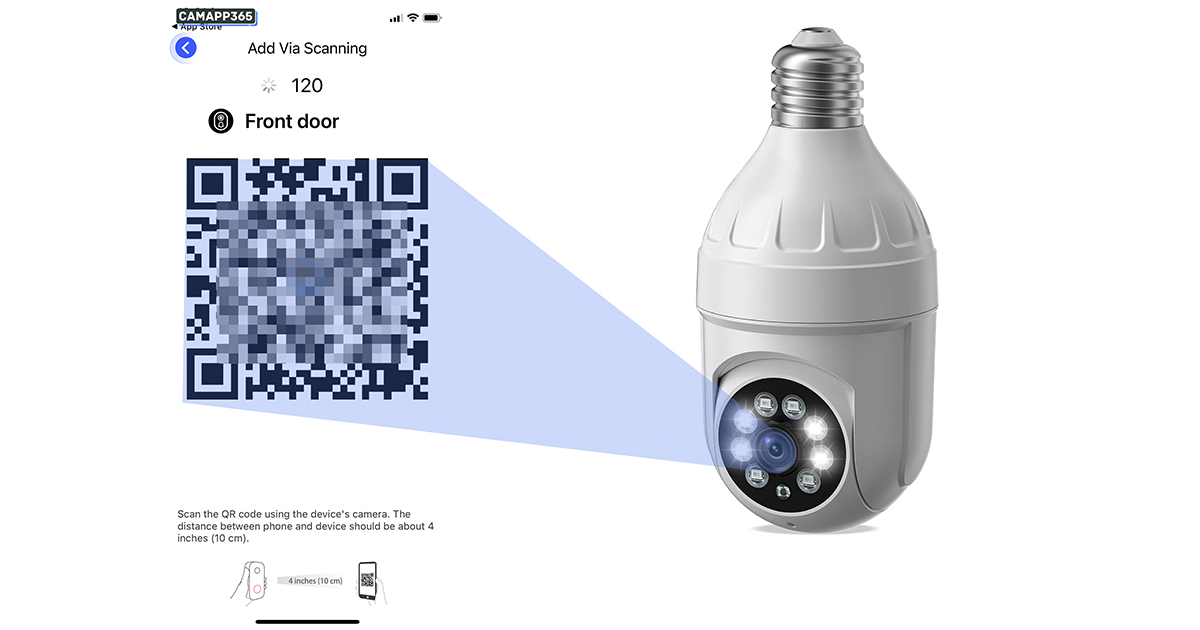


Some recordings are shown with red texts and some are green. Why?
my aiwit doorbell stop recording and want me to pay why when it say its free
Hi, I’ve just bought the v5 doorbell how do you get the doorbell off the bracket when fastened to the wall, it needs charging and you can’t press the thing at the back to release it as its fastened to the wall. Is there somewhere else to press to release it from the bracket.
Thanks
There is a all screw underneath and then it will slide upwards
I want mine to pick up any movement not just people so do I have it on huminoid low ow high
We have on low & picks up people & cars.
My camera dose not always pick up people coming in my gate which setting should I have it on please help
How do I get the doorbell to ring. You have to push it at least 3 times.
Just to let everyone know if you’ve brought a camera that uses the aiwit app and you thought it was a bargain like me!? then your going to get the same suprise as the rest of us and have to eventually pay for a subscription to see what’s going on at the door, I wouldn’t mind but when someone approaches the door it doesn’t actually let you know until they have gone 🤦 unless they stay for a minute that is, save your money and get a higher end camera if it’s true security you want. Hope this helps the next person….good luck!
Yes I have also been caught out & all they say is you should have brought the dearer camera.
Yes. Totally agree. Mine will now be just a doorbell now.
Will never buy anything Aiwit again and will pass it on
Agree! Aiwit is basically a rip-off. Mines worked at the beginning; now it stays off line. When I re-installed the app and tried setup the device it says registration failed. I’ve tried many suggestions from the Chat but nothing works. Never, Never will I ever buy a Aiwit product again.
Your right aiwit are a shit camera and scam company, I’d advise anyone zo buy another brand
Hi does anyone know how to cancel the 30 days free trial I’ve tried tvia the Google play app like it says but it doesn’t show there have messaged and no response waste of money
I’d this doorbell meant to send a phone alert when someone rings? Only the chimes and doorbell works, no notifications appear on my phone.
Very hit and Miss my phone does not always show someone calling
I have the doorbell linked to my phone.
Previously I have been able to watch videos on my phone. Now its saying j need to buy a cloud account to save the videos to. So I can view them.
I don’t want to do this
How do I revert back to watching them from my phones memory