

If you are using an Aiwit doorbell, you may encounter some common issues. In this article, we will provide a detailed description of common problems with Aiwit doorbells and provide solutions. Whether it’s a WiFi signal issue, a password error, or hardware failure, we will provide useful information to help you troubleshoot and resolve any issues with your Aiwit doorbell.
It is expected that this article will be updated in August/September.
Why aiwit doorbell not connecting to wifi
There are several reasons why your Aiwit doorbell may not be able to connect to your WiFi. The most common causes are weak WiFi signal, incorrect password, and hardware failure.
Wifi signal problem:
Poor wifi signal can lead to wrong password and no wifi connection.
Since the Aiwit doorbell is usually installed at the door, it may be far away from the router and obstructed, resulting in the Aiwit doorbell not receiving WiFi signals well.
Aiwit doorbell is connected to 5Ghz wifi:
Aiwit doorbell only supports 2.4Ghz wifi, make sure Aiwit doorbell connects to 2.4Ghz wifi.
If your wifi 2.4G and 5G are combined, then there is no need to check this issue, the router will automatically assign 2.4G wifi.
Hardware failure:
Aiwit doorbell wifi module failure,If you encounter this issue, it is recommended to contact your Aiwit doorbell seller for assistance.
Fix Aiwit doorbell can not connect to wifi
If you are experiencing difficulties connecting your Aiwit video doorbell to the WiFi network, don’t worry, we recommend reviewing the following guide and following the provided steps to try and fix it.
1. To ensure proper operation of your Aiwit doorbell, we recommend following these steps to confirm the power status of your Aiwit doorbell:
- Press the doorbell button: If the Aiwit doorbell’s indicator light flashes, this indicates that the doorbell is turned on.
- If there is no indicator light: Please connect the power supply to charge the Aiwit doorbell.
2. In order to connect Aiwit doorbell smoothly, please follow the guide below:
- Reset the Aiwit doorbell
- Connect the Aiwit doorbell near the router
- Make sure the wifi is 2.4Ghz and the wifi password is correct.
- As long as the Aiwit doorbell hardware is working, then you will be able to connect to the wifi.
If you still can’t connect to Aiwit doorbell, it is recommended to recheck the above issues, and reconnect.
If the connection fails more than 3 times, then there is a high probability that the Aiwit doorbell is malfunctioning, please contact your Aiwit doorbell seller.
3. Other ways to fix it?
If you follow the above guide and can’t fix it, you need to check if your wifi has restrictions such as mac whitelisting, router problems. But I don’t recommend it, router problem is less probable and requires an expert.
I suggest you just replace Aiwit doorbell, or buy another brand of doorbell.
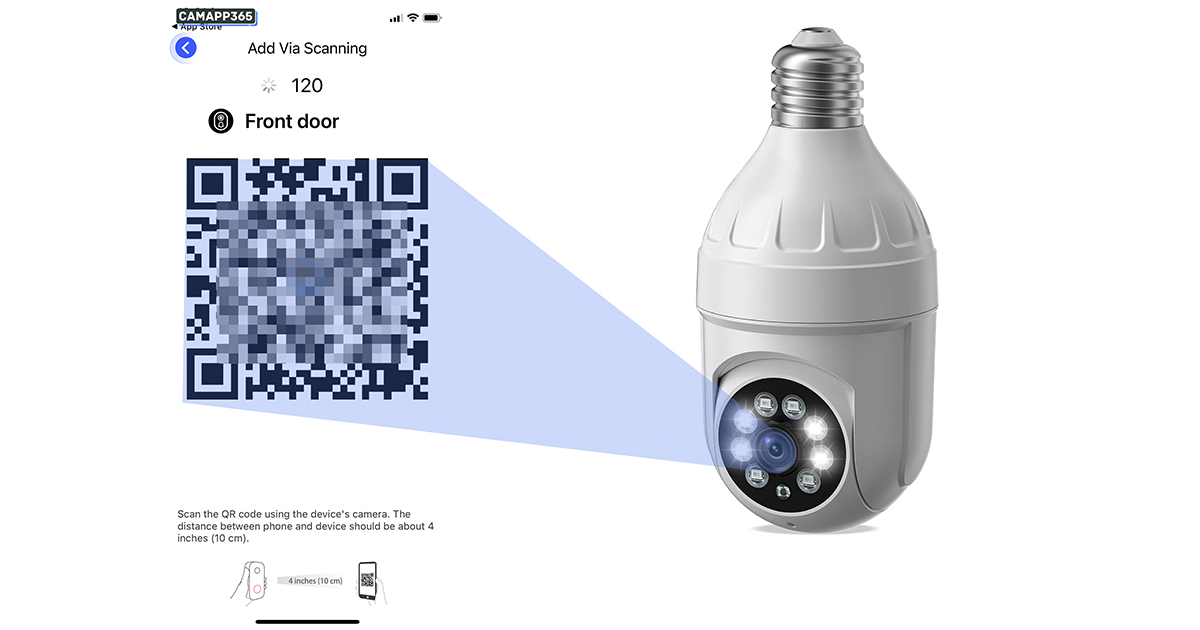
How do I connect my Aiwit doorbell?
You can check these Aiwit manuals, or if you don’t have your Aiwit camera model, you can refer to the manuals, which usually operate in the same way.
How To Use Aiwit Camera (2023 Full Manual)
- How to connect Aiwit camera to wifi?
- How to share Aiwit camera?
- How to set up video recording
- How to set up motion detection
- How do I connect Aiwit doorbell to chime?
ENEK Video Doorbell MODEL V8 Aiwit app User Manual
ENEK Video Doorbell MODEL T8 Aiwit app User Manual
ENEK Video Doorbell MODEL T7 Aiwit app User Manual
ENEK Video Doorbell MODEL T5 User Manual
Why is my Aiwit doorbell offline?
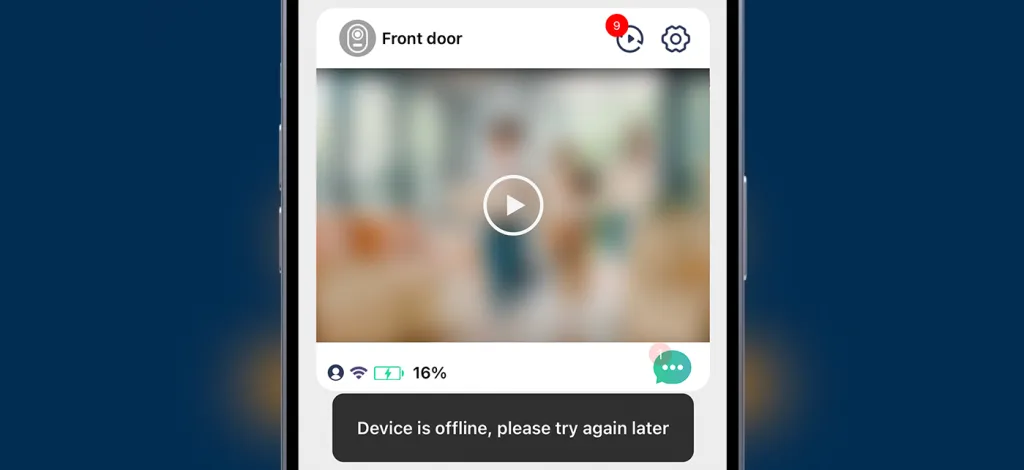
Aiwit doorbell is usually offline for several reasons
- Battery problems, dead batteries or battery failure.
- wifi problem, may be the wifi signal is bad to cause offline, suggest to strengthen your wifi signal, or try to restart the router
- Aiwit doorbell wifi module failure, we suggest contacting your camera seller
Why am I not receiving Aiwit doorbell notifications on my phone?
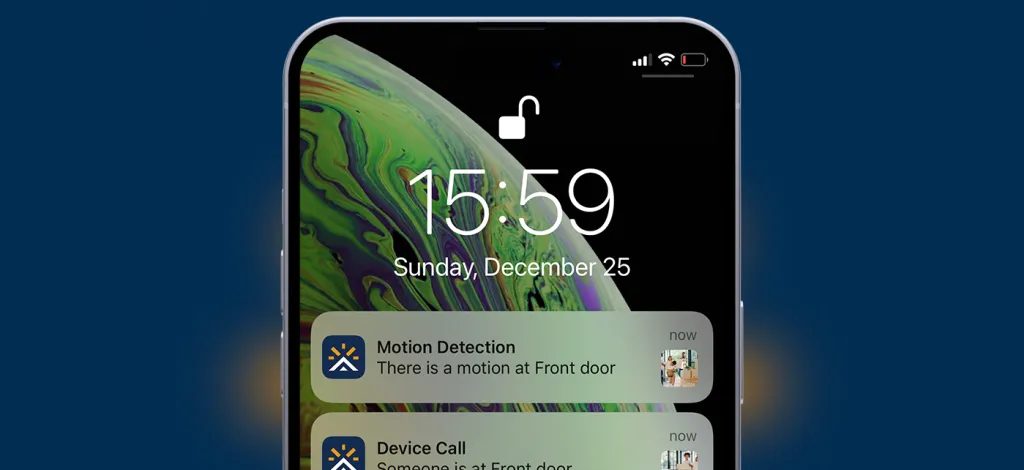
If your phone does not receive notifications from the Aiwit doorbell, this is usually due to a software problem. To resolve this issue, we recommend that you follow these instructions:
- Upgrade the Aiwit application to the latest version.
- Make sure that the Aiwit doorbell is online.
- Turn on notification permissions for the Aiwit app. If you are using an Android phone, set it to priority notifications in the settings.
- Make sure that the Aiwit doorbell and your phone are connected to the Internet properly.
If these steps do not solve the problem, it may be an Aiwit APP issue or a phone bug, please contact your Aiwit doorbell seller.
Sometimes I can receive notifications and sometimes I can’t?
Usually it is a network problem, please make sure Aiwit Doorbell and your phone have a strong internet connection.
Why can’t Aiwit doorbell view alert videos?
The Aiwit doorbell requires the purchase of cloud storage in order to view alarm videos, and the Aiwit doorbell cannot be stored on a memory card. Therefore, you must purchase cloud storage to view the video recording.
Why can’t I view video recordings on Aiwit Doorbell when I could before?
Aiwit Doorbell will give you free cloud storage for a period of time, when the cloud storage expires you will need to purchase it to be able to view the video.
Why doesn’t Aiwit chime receive ringtone notification?
If your Aiwit chime is not receiving bell notifications, it may be due to the following reasons.
- Please check the power status of the Aiwit chime: If the Aiwit chime is turned on, it should be able to produce a bell sound when the ‘tune’ button is pressed.
- Reconnect the chime to the Aiwit doorbell.
If these steps do not work to make the Aiwit chime function properly, it may be due to hardware failure in the Aiwit chime. In this case, it is recommended to contact the Aiwit chime seller for assistance.
How do I know if my Aiwit doorbell is charging?
The charging icon in the upper right corner of the video interface means that it is charging
How do I reset my Aiwit doorbell?
Press and hold the doorbell button until the red light flashes, about 5-6 seconds.
Do I need to buy cloud storage for Aiwit doorbell?
You need to purchase cloud storage to view videos, Aiwit doorbell does not support memory cards for saving videos.
What memory cards does Aiwit doorbell support?
Aiwit doorbell does not support memory cards, you need to purchase cloud storage to Recording.
How do I use Aiwit doorbell on my computer?
Aiwit only supports Android and iPhone phone, there is no computer software, but you can use Aiwit on your computer in other ways.
How can I contact Aiwit Doorbell technical support?
If you are experiencing issues with your Aiwit doorbell, we recommend contacting eken for technical support. Eken is the developer of the Aiwit doorbell and can provide professional assistance. You can also contact the seller from whom you purchased your Aiwit doorbell for help.
Eken contact email: support-us@eken.com
Why does Aiwit suddenly ask for cloud storage fees?
Aiwit will give you 3 months of cloud storage, but when this expires you will need to purchase cloud storage, which is not free.
Note
Aiwit has updated its cloud storage policy and now, you need to purchase to view the videos and there is nothing we can do about it.
We can’t offer you a refund, or for questions about cloud storage, please contact Aiwit: support-us@eken.com


Had the doorbell V5 for a month it’s now telling me I need to pay for cloud storage. Before I purchased it it said free cloud storage . I think this is how they con people into buying the aiwit doorbells. It’s clearly not free cloud storage
i had this issue a couple months ago after i decline the upgrade after i did do the upgrade it worked again without purchase. now it is happening again and it isn’t giving me the option to upgrade the app. i don’t want to buy additional storage i am okay with the 3 days only.
If someone rings my doorbell I don’t even get a notification on my phone to answer it . It will only work if I’m actually on the aiwit app it’s self it shouldn’t be like that
hello, may I know if i can still see outside without the any visitor pressing the button?
This camera is crap. 3 min total record time and it records when you go to live view. Free lifetime cloud access to what? There is no cloud without paid subscription and even then it’s still garbage. I hooked it to old doorbell and doorbell doesn’t ring now, plus the app has to be open for it to tell me someone is at the door. That is if I am within 30 feet or so from the device. Do not let these people rip u off, I’ m returning mine asap. Online reviews are totally made up when they rate it as excellent, just intelligent product pushing for u to replace a perfectly good doorbell with a piece of crap.
My aiwitt doorbell device completely stopped receiving any charge. It’s not even a month old and I haven’t charged it ever to 100%. I’ve tried 7 different usb along with blocks and nothing. I don’t know wut to do. I feel cheated. In purchased from Amazon
purchase additional batteries from amazon I have 3 different pairs since I leave my recording on high and battery runs our real quick. I bought the batteries with the charger from Amazon
camera will not connect to the 2.4 Ghz and only to the 5Ghz. I have read these are not compatible with 5Ghz. how so I get the camera to connect to the 2.4Ghz so it works correctly?
Does anyone have an issue with not being able to speak to anyone through the Mic I haven’t been able to since I bought it.
If so do you know how to resolve it please?
Had this device for well over a year, battery died so recharged & now cannot reconnect at all. Says registration failed everytime, have removed device, reset, uninstalled & reinstalled app, chat are no help either!
Had purchased two Aiwit camera.
Camera A
– Purchased cloud storage to view recording on 30 Sept. Works fine.
Camera B
– Purchased cloud storage on 29 October.
Now the issue comes. Camera A doesn’t allow me to view recording after the purchase of Cloud storage for Camera B.
Anyone has any idea how to resolve the issue?
Thanks.
Same problem , but with 3 cameras only I cloud connects … Good luck getting any help from either Enek or Aiwit-iots! they even send links in camera app that”i’ve been chosen to receive 2 new style cameras for free…. you think they honor that either NO DICE… SOCIAL MEDIA OUT BURST TIME I’M THINKING AFTER 3 months now.
Same problem , but with 3 cameras only I cloud connects … Good luck getting any help from either Enek or Aiwit-iots! they even send links in camera app that i’ve been chosen to receive 2 new style cameras for free…. you think they honor that either NO DICE… SOCIAL MEDIA OUT BURST TIME I’M THINKING AFTER 3 months now.
Unable to source security screws for Kamet V7. Would appreciate any advice.
This is my problem! Don’t know where to buy new screws, the devices didn’t come with the proper screwdriver, and now the old ones are stripped! Need help getting them out and buying replacement screws…
I’ve had this doorbell for over a year and now with out notice. they are saying I need to purchase cloud storage in order to view my videos?
I do not want to pay for the cloud storage. There was no issues before the last update on the app?
Same thing happened to me! Now can’t access any videos without cloud storage? Not acceptable!